

Bot Flow
Bot Flow lets you build automated customer interaction scenarios over WhatsApp without any manual intervention. This helps you improve response speed and organize the communication experience.
How Does the Flow Work?
Section titled “How Does the Flow Work?”You drag components onto the design board, then connect them with arrows to define the order of steps. When the flow runs, the system guides the customer step by step according to the scenario you designed.
Saving the Flow
Section titled “Saving the Flow”When you finish setting up the flow, click Save Flow to save all steps and connections automatically.
Flow Components
Section titled “Flow Components”The side panel in the flow board contains a set of components that can be used easily via drag and drop.
Basic Messages
Section titled “Basic Messages”- Text Message — to send a plain text message to the customer.
- Button Message — to send a message with interactive buttons the customer can click.
- Call to Action — to send a message with a link or button to take a specific action.
- WhatsApp Template — to use WhatsApp-approved message templates.
Interactive Content
Section titled “Interactive Content”- List Message — to send a list of options to the customer.
- Media Message — to send an image, video, or file.
- Location — to send a geographic location.
- Contact Card — to send contact information directly inside the conversation.
Advanced Features
Section titled “Advanced Features”- AI Personal Assistant — to create smart, interactive responses using artificial intelligence.
- API Request — to connect the flow with external systems or execute custom operations.
- Delay — to add a time delay before executing the next step.
- Update Customer Data — to automatically modify customer data inside the system.
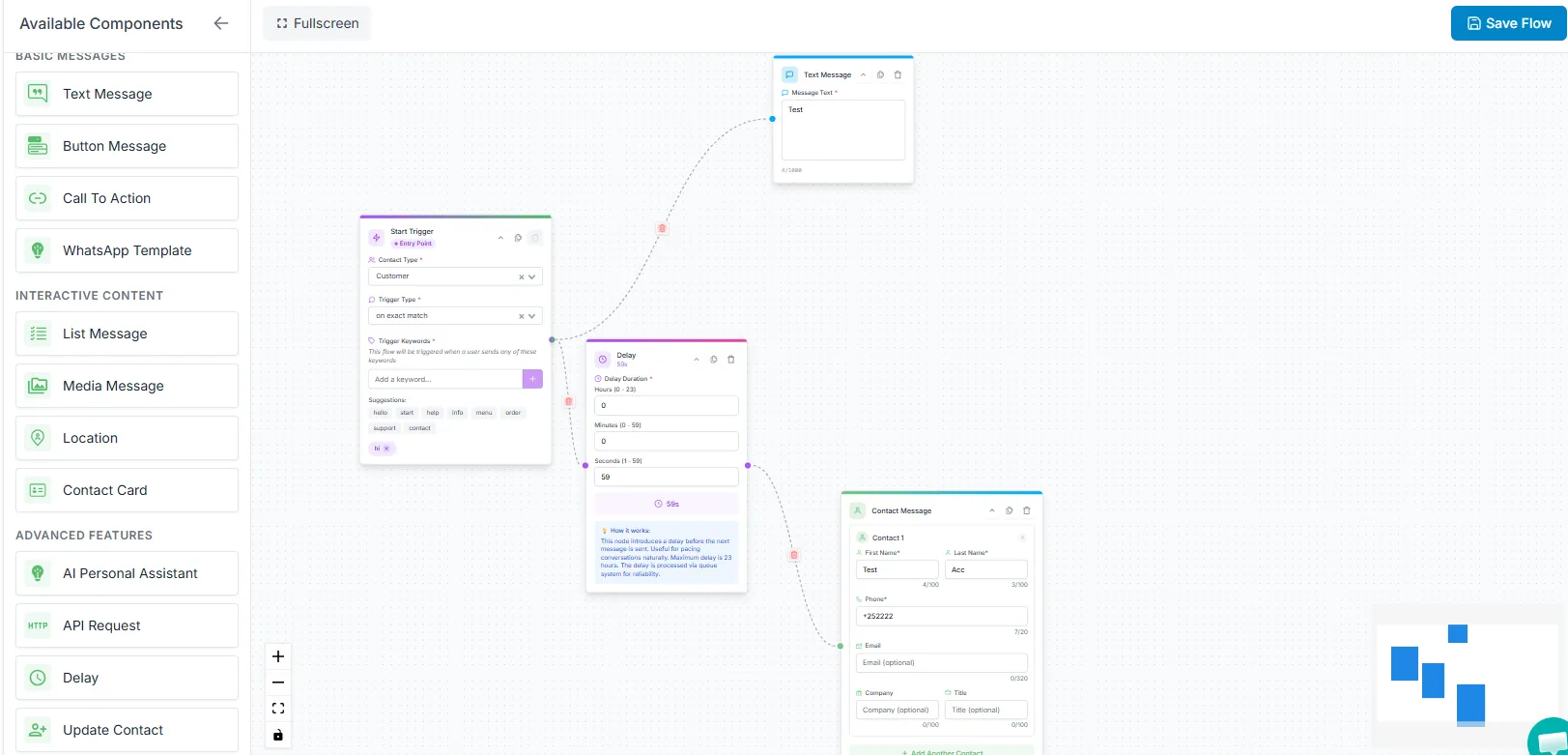
Components can be connected by dragging a connection line between elements to create a logical flow sequence.